
SEO Migration Strategy and Checklist: Redesign Without Losing Rankings
- By Harry, Founder of WayRankPro
- Updated 12 November 2026
- 15 min read

A new website should bring more enquiries, not fewer. Yet many redesigns lose rankings because old URLs vanish, content is cut and nobody checks Google after launch. Our SEO migration services exist to stop exactly that. A written SEO migration strategy prevents that by protecting every page that already earns traffic.
This checklist covers the four phases of a migration: benchmark, map, launch and monitor. It works for a redesign, a new domain or a move to WordPress or Shopify. If you want a team to rebuild your site and handle the migration for you, see our web designer Cardiff service.
Quick answer
An SEO migration strategy records how the old site performs, maps every old URL to its best new page with a 301 redirect, checks the new site before and on launch day, and watches Search Console closely for several weeks afterwards. Keep the content that ranks, avoid redirect chains and never launch with noindex left on. After launch, run your new URLs through our free Google index checker to confirm they can be indexed.
- Benchmark rankings, traffic, top pages and backlinks before anything changes
- Map every old URL one-to-one to its closest new page with a 301 redirect
- Keep the content, titles and headings of pages that already rank
- On launch day check noindex, robots.txt, HTTPS, the sitemap and a sample of redirects
- Watch Search Console daily for two weeks and fix 404s and drops quickly
What is an SEO migration strategy?
A site migration is any change that affects how Google finds or understands your pages: new URLs, a new domain, a new platform, a new design or a merge of two sites. An SEO migration strategy is the written plan that makes sure Google can transfer what your old pages earned to the new ones.
Google treats each URL as its own page. When a URL disappears without a redirect, its rankings, backlinks and history go with it. A migration strategy stops that happening by deciding, before launch, where every old URL will point.
| Migration type | What changes | Risk |
|---|---|---|
| Redesign, same URLs | Design, templates, some content | Lower, if content and headings stay |
| Redesign with new URLs | Page addresses and structure | Medium: needs a full redirect map |
| Platform move | For example Wix or Squarespace to WordPress | Medium to high: URL patterns usually change |
| Domain change | Every URL on the site | Highest: needs redirects and Google’s Change of Address tool |
| HTTP to HTTPS | Protocol on every URL | Lower, if sitewide 301s are in place |
The more that changes at once, the harder it is to see what caused a drop. Where you can, change one thing at a time: move platform first, then refresh the design.
What types of website migration are there?
Any change that alters your URLs, your platform or your domain is a migration, and each needs an SEO migration strategy scaled to the risk. These are the most common types for small businesses.

A redesign on the same domain
New design and often new page structure, but the same web address. The risk comes from changed URLs, removed pages and rewritten content, so the redirect map and content check matter most.
A platform change
Moving from Wix, Squarespace or an old custom build to WordPress or Shopify. URL formats usually change, so every old address needs a redirect, and titles, meta descriptions and image alt text have to be carried across.
A domain change
Moving to a new web address, such as a rebrand or a switch from .com to .co.uk. Every URL changes, so you need full redirects, Search Console set up for the new domain and the Change of Address tool used once the redirects are live.
Merging two websites
Combining an old site into a new one, for example after buying another business. Decide which pages carry over, which merge and which retire, then redirect each old URL to its closest match.
Who should be involved in a website migration?
Most failed migrations are not technical mistakes but handover gaps: the designer assumes the developer is handling redirects, and the developer assumes someone else checked SEO. Agree who owns each job before work starts. If you are bringing in outside help for the move, read how to choose the right technical SEO agency first.

The business owner
Signs off which pages stay, which change and which go, and knows which pages bring enquiries. Keep them involved in the redirect map, not just the design.
The web developer or designer
Builds the new site on a staging copy, sets up the redirects and makes sure the live launch does not carry over staging settings such as a noindex tag or a blocking robots.txt file.
The SEO specialist
Records the starting data, builds or checks the redirect map, tests the staging site and monitors Search Console after launch. On small projects this can be the same person as the developer, as long as the checklist is written down.
What should you keep the same during a migration?
The safest SEO migration strategy changes as little as possible at once. Google has to re-learn anything you change, so keep the things that already work and change the rest in stages.
URLs, where you can
If the new platform lets you keep the same addresses, keep them. A URL that does not change needs no redirect and carries no risk.
The content on your best pages
Pages that bring clicks and enquiries rank for a reason. Move their text, headings and images across first, then improve them after the new site has settled.
Title tags, meta descriptions and structured data
Copy these from the old pages to the new ones. Losing them is one of the easiest ways to drop rankings, and one of the easiest to avoid.
Internal links
Make sure the new menu and in-page links still point to your important pages. A page that was linked from every page on the old site and from only the footer on the new one will often slip.
Phase 1: what should you record before a migration?
You cannot protect what you have not measured. Spend this phase building a snapshot of the old site, ideally a month or more before launch.

Export Search Console data
Export the last 12 months of queries and pages from the Performance report in Google Search Console. This shows which pages bring clicks and for which searches. Save the Pages and Links reports too.
Crawl the old site
Use a crawler such as Screaming Frog (free up to 500 URLs) to list every URL, title, H1, meta description and status code. Add any URLs from your XML sitemap and Search Console that the crawl missed, such as old landing pages.
List your most valuable pages
Mark pages that bring clicks, enquiries or backlinks. These are the pages that must keep the same content, title and headings on the new site, even if the design changes. Check GA4 for pages that lead to form sends and calls.
Record rankings and conversions
Note positions for your main keywords and your monthly enquiries. After launch you will compare against these numbers, so record the date range you used.
What we do: before any migration we export your Search Console and GA4 data, crawl the old site and send you a list of your most valuable pages, so you agree which content must stay before design work starts.
Phase 2: how do you build a redirect map?
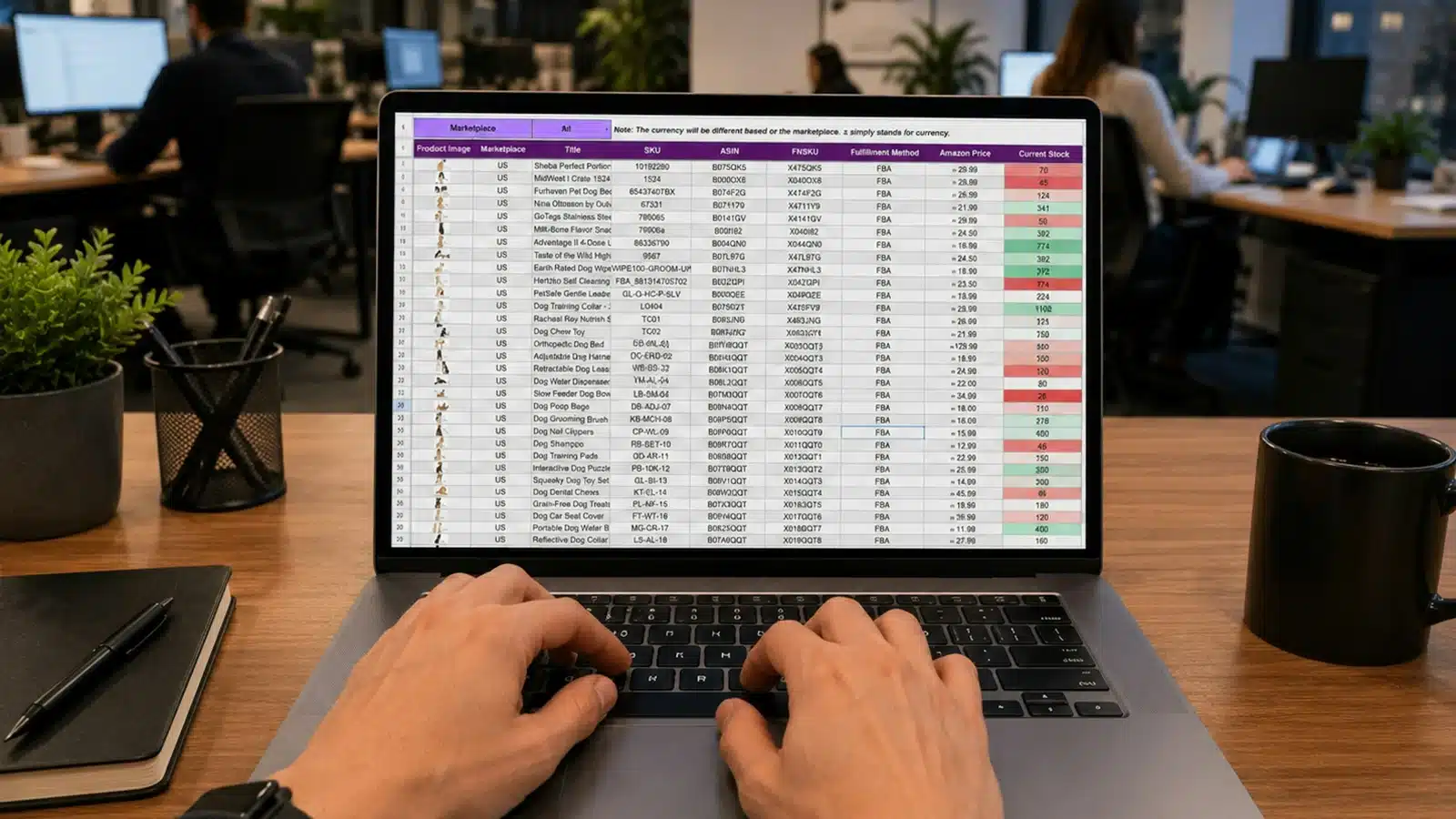
The redirect map is the heart of the migration. It is a spreadsheet with every old URL in one column and its new URL in the next.
Redirect one-to-one wherever you can
Point each old page to the new page that best matches it. A boiler repair page should redirect to the new boiler repair page, not to the homepage. Redirecting many pages to the homepage tends to be treated like a missing page, so the old rankings are lost.
Use permanent 301 redirects
Use 301 (permanent) redirects, set at server or plugin level, for example with Rank Math’s redirection module on WordPress. Avoid JavaScript or meta refresh redirects, and keep the redirects in place for at least a year; Google recommends keeping them as long as possible.
Avoid redirect chains and loops
If page A already redirects to B, and B is moving to C, point A straight to C. Chains slow pages down and some steps may not be followed. Check old redirects from previous redesigns as part of the map.
Decide what to do with pages you are removing
If a page has no clicks, no backlinks and no close match, it can return a 404 or 410. If it has backlinks, redirect it to the closest relevant page so the link value is not wasted.
Phase 3: what should you check before and on launch day?
Test the new site on a staging copy first, then repeat the key checks the moment it goes live.
Before launch, on staging
- Content parity: every valuable page exists with its text, title, H1 and meta
- Internal links point to new URLs, not to old ones that redirect
- Canonical tags point to the page itself on the live domain
- Schema markup, alt text and image file names carried over
- Mobile layout and Core Web Vitals checked in PageSpeed Insights
- Forms, phone links and WhatsApp buttons tested end to end
On launch day
- Turn off the noindex setting and remove any staging password
- Check robots.txt is not blocking the site
- Upload the redirect map and test a sample of old URLs
- Confirm HTTPS works and http and www versions redirect to one version
- Submit the new XML sitemap in Search Console
- Use the Change of Address tool if the domain has changed
- Check GA4 and Search Console are recording data
A forgotten noindex setting is one of the most damaging launch mistakes, because it tells Google to drop pages from search. Check it first, and check it again the next day.
If the new design is also a chance to fix structure, page speed and headings, our guide to building an SEO friendly website lists the 15 rules to build in.
Phase 4: what should you monitor after the migration?
Rankings often move around while Google recrawls the site. Google says a medium-sized site can take a few weeks for most pages to move across, and larger sites longer. Your job in this phase is to spot real problems quickly.

First two weeks: daily checks
Watch the Pages report in Search Console for new 404s, “Crawled, currently not indexed” and redirect errors. Fix any old URL that returns a 404 by adding it to the redirect map. Re-submit the sitemap if many pages are not discovered.
Weeks three to eight: weekly checks
Compare clicks, impressions and positions for your most valuable pages against the Phase 1 benchmark. Check enquiries in GA4, not just traffic. A page that drops and does not recover usually has lost content, a weaker title or a broken redirect.
Update links you control
Update your Google Business Profile website link, social profiles, directory listings and email signatures to the new URLs. Ask partners who link to your important pages to update their links too.
Are there platform-specific migration steps?
The four phases apply to every migration, but each platform has its own traps.

Moving to WordPress
WordPress lets you set any URL, so you can usually keep your old addresses and avoid most redirects. Set the permalink structure before you build pages, install an SEO plugin such as Rank Math for titles, schema and redirects, and check the “Discourage search engines” box is unticked at launch.
Moving to Shopify
Shopify uses fixed URL patterns such as /products/ and /collections/, so most URLs will change when you move from another platform. Use Shopify’s URL redirects tool to upload your redirect map, and check that product variants and filtered collection pages do not create duplicate pages.
Moving away from Wix or Squarespace
Export your full list of pages and blog posts before you cancel the old plan, because you lose access to the old site when the subscription ends. Copy text, image alt text and meta titles across page by page, and keep the old domain pointed at the new host.
Changing domain
Keep the old domain registered and its redirects live for as long as possible. Verify both domains in Search Console, then use the Change of Address tool from the old property once the 301 redirects are working.
What should you do if rankings drop after a migration?
Some movement in the first few weeks is normal while Google recrawls the new site. A drop that keeps going, or that hits your most important pages, needs checking quickly. Work through these in order.
Check the redirects
Test your top pages from the old site one by one. Each should send visitors to the matching new page with a single 301 redirect, not a chain, a 302 or the homepage.
Check indexing settings
Make sure the live site has no noindex tags and that robots.txt does not block important sections. These settings are often left on from the staging site and can stop Google indexing the new pages.
Compare old and new pages
Put the old version of a page that dropped next to the new one. Look for missing text, changed headings, lost internal links or a different title tag. Restoring what was removed often brings rankings back.
Resubmit and watch
Submit the new XML sitemap in Search Console, use URL Inspection on the key pages and track them weekly. If the fixes are in place, rankings usually recover as Google processes the changes.
How do you protect your Google profile and listings during a migration?
Your website address appears in far more places than your own site. If those links point at old URLs, customers hit redirects or errors, and you lose some of the value of those links.

After launch, update the website link on your Google Business Profile, Bing Places, Facebook, directory listings and email signatures. Ask partners who link to you to update their links to the new URLs where you can. Your redirects will catch the rest, but direct links are always stronger than links that pass through a redirect.
How long does a website migration take?
It depends on the size of the site and how much is changing. Most of the time goes into the work before launch: recording data, building the redirect map and testing the staging site. Launch day itself should be short and planned to the hour.
The part people forget is afterwards. Keep checking Search Console, rankings and enquiries for several months after launch, because some problems only show once Google has recrawled the whole site. Treat the migration as finished when your key pages are back to their old positions, not when the new design goes live.
If you are short of time, do not skip steps: reduce what changes instead. Launching the new design first and restructuring pages later is far safer than doing both at once.
Which migration mistakes lose rankings?
Most ranking losses after a redesign come from a short list of avoidable mistakes.

- Launching with noindex or a robots.txt block left on from staging
- No redirect map, or redirecting every old page to the homepage
- Cutting the text of pages that ranked to suit a minimal design
- Changing titles and H1s of top pages without a reason
- Leaving internal links pointing at old URLs, creating redirect chains
- Changing domain, platform, design and content all in one launch
- Not checking Search Console in the weeks after launch
If your site has already lost rankings after a redesign, the same checks apply in reverse: crawl the old URLs from an archive or an old sitemap, find the ones returning 404 and redirect them. Earlier is better; recovery gets harder the longer pages stay missing.
SEO migration checklist at a glance
Print this table and tick each line as you go. If a step does not apply to your migration, mark it as not needed rather than skipping it, so nothing is missed by accident.

| Phase | Task | Done when |
|---|---|---|
| 1. Benchmark | Export Search Console, crawl old site, list valuable pages | Every old URL is in one spreadsheet with its clicks and links |
| 2. Map | Match old URLs to new URLs with 301s | No valuable URL is left without a target |
| 2. Map | Remove chains and old redirect loops | Every redirect reaches its final page in one step |
| 3. Staging | Check content parity, links, canonicals, schema, forms | Top pages match or improve on the old versions |
| 3. Launch | Noindex off, robots.txt open, redirects live, sitemap submitted | A sample of old URLs lands on the right new pages |
| 4. Monitor | Daily Search Console checks, weekly comparison with benchmark | Clicks and enquiries are back to the benchmark or above |
Keep the spreadsheet after launch. If a page drops months later, it tells you exactly what the old page looked like and where its traffic came from.
How much does a website migration with SEO cost?
Cost depends on the number of URLs, whether the domain or platform is changing and how much content needs rewriting. A small brochure site with stable URLs is a simple job; a move from another platform with a new structure takes more planning.

If your rankings need work beyond the migration itself, our SEO services cover ongoing technical fixes, content and links. You can compare all our plans on the prices page. Working out a budget first? Read how much does SEO cost in the UK before you compare plans.
What WayRankPro charges
New SEO-ready WordPress websites from £199 for 5 pages, £499 for 10 pages, £699 for 20 pages and £1,199 for ecommerce. Every rebuild includes a redirect map from your old URLs, launch-day checks and Search Console setup. All prices include VAT.
SEO migration strategy: FAQs
Will I lose my Google rankings if I redesign my website?
Not if the migration is planned. Keep the content of pages that rank, redirect every changed URL with a 301 to its closest new page, launch without noindex and monitor Search Console afterwards. Some movement in the first weeks is normal while Google recrawls.
How long does it take rankings to recover after a migration?
It depends on the size of the site and how much changed. Google says most pages on a medium-sized site move across within a few weeks, and larger sites take longer. A drop that lasts beyond that usually points to a missing redirect or lost content.
How long should I keep 301 redirects?
As long as possible, and for at least a year. Removing redirects too early breaks backlinks and bookmarks that still point to the old URLs.
Do I need to tell Google about a domain change?
Yes. Set up 301 redirects from every old URL, verify both domains in Search Console and use the Change of Address tool from the old property. Submit the new sitemap as well.
Can I move my website to WordPress without losing SEO?
Yes. Platform moves usually change URL patterns, so the redirect map matters most. Recreate each valuable page with the same content, titles and headings, then redirect its old URL to the new one.
Should I change my content during a migration?
Keep content changes small on pages that already rank. If you want to rewrite them, do it a few weeks after launch, once rankings have settled, so you can tell what caused any change.
Should I migrate my website during a busy season?
Avoid it if you can. Even a well-planned migration can cause a short dip in rankings, so launch in a quieter month for your business, and never just before a key sales period or seasonal peak.
Do I need an SEO migration strategy for a small website?
Yes, but it can be simple. Even a ten-page site needs its URLs recorded, a redirect for every changed address and a check after launch. The steps are the same; the work just takes less time.
Can I keep my old website live while the new one is built?
Yes. Build the new site on a staging copy that Google cannot index, keep the old site live until launch day, then switch over and add the redirects at the same time. That way customers and Google never see a half-finished site.
Sources
Google Search Central: Site moves with URL changes; Google Search Central: Redirects and Google Search; Google Search Console Help: Change of Address tool.

Harry, Founder of WayRankPro
Harry founded WayRankPro, a Cardiff SEO agency. He has 8 years of experience in WordPress and Shopify SEO and specialises in technical and on-page SEO. He reports every client's results from their own Search Console and GA4.
Free migration check · Fixed quote
Planning a redesign? Protect your rankings first
Tell us your current website and we will check which pages earn your traffic, then send a clear migration fix list within one business day with a fixed quote for the rebuild. Our Cardiff SEO agency team plans every redirect before a new site goes live.
- Free audit, no obligation and no contract to sign
- Reply within one business day
Book a meeting and get exclusive deals plus a free gift
Prefer to talk? Call us, WhatsApp or Email hello@wayrankpro.co.uk.
Cardiff, South Wales · Serving businesses across the UK